Background
Motivation
E-paper displays offer paper-like readability and ultra-low power usage. But outside of niche successes like Amazon’s Kindle, e-paper hasn’t broken into broader consumer or enterprise markets.
I wanted to understand why — so I started building with e-paper myself. I oriented my understanding based on five factors:
- Cost – Can the initial investment be justified by long-term savings or bring new revenue drivers?
- Form factor – Is the display thin and light enough for modern use cases?
- Flexibility – Can it replicate the tactile benefits of paper?
- Refresh rate – Can it update fast enough for interactive or dynamic content?
- Image quality – Does it meet the visual expectations of today’s users?
Use Case: E-Paper Digital Picture Frame
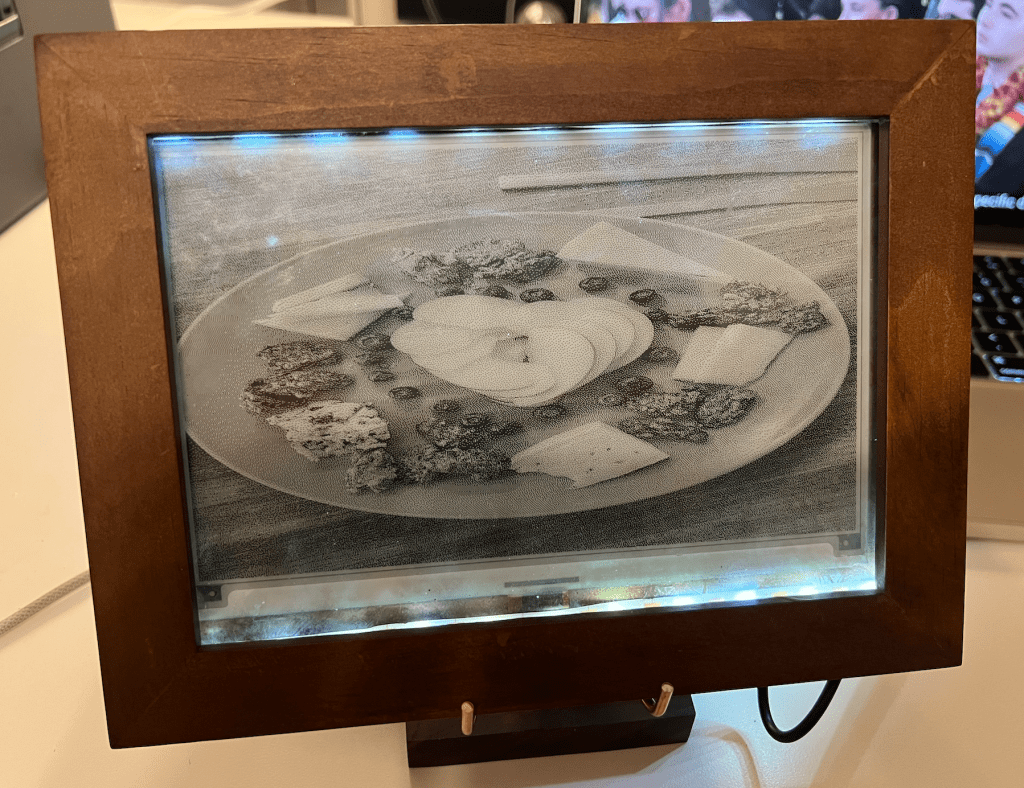
To explore these trade-offs practically, I built a digital picture frame using an e-paper display that leverages e-paper’s strengths: static image display, minimal refreshes, and long battery life. The key features of the device:
- Shows static images from a Google Drive folder
- Refreshes on a schedule (like once an hour)
- No manual input needed after setup
- Auto-starts slideshow display when plugged in
Project Specifics
Materials (~$140)
Core Electronics
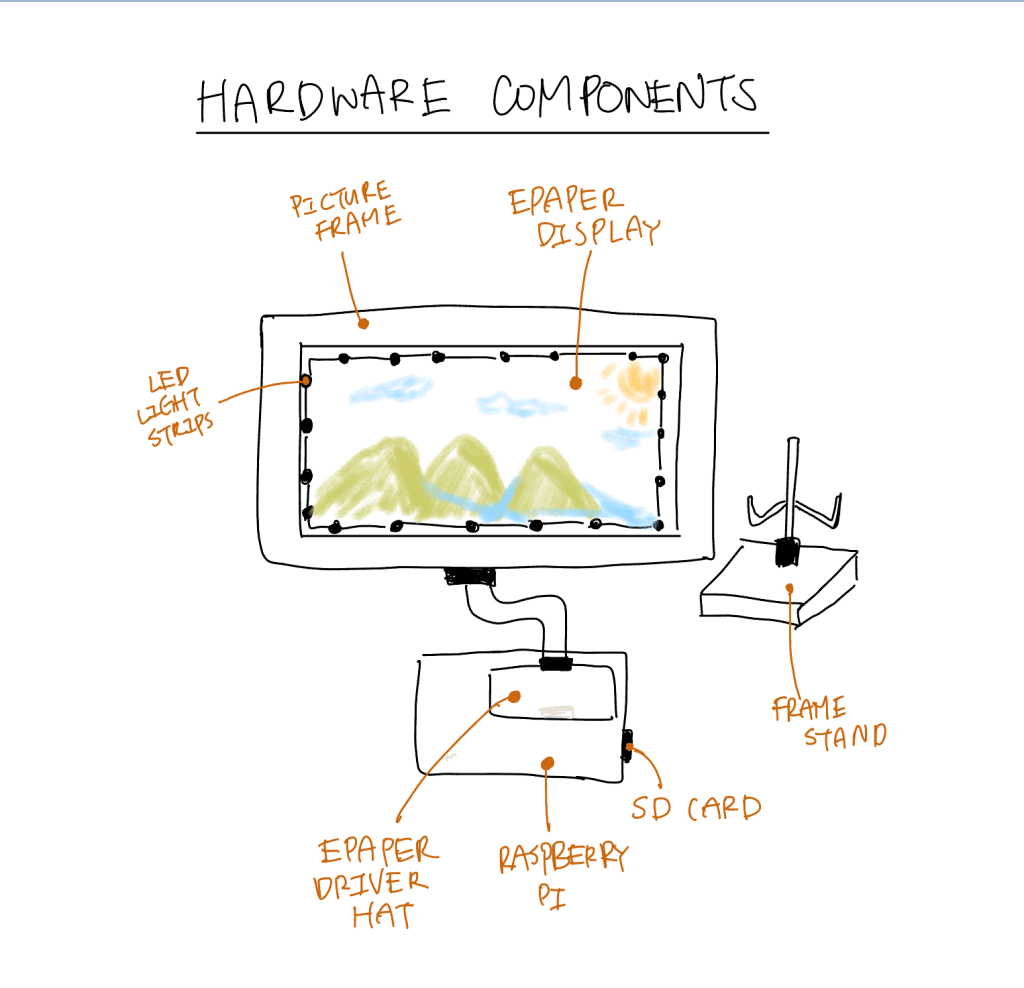
- Raspberry Pi 3. Can be any version. ($50)
- Waveshare 7.5inch e-paper\ Display HAT ($50)
- SD Card ($12)
Physical Frame
System Design
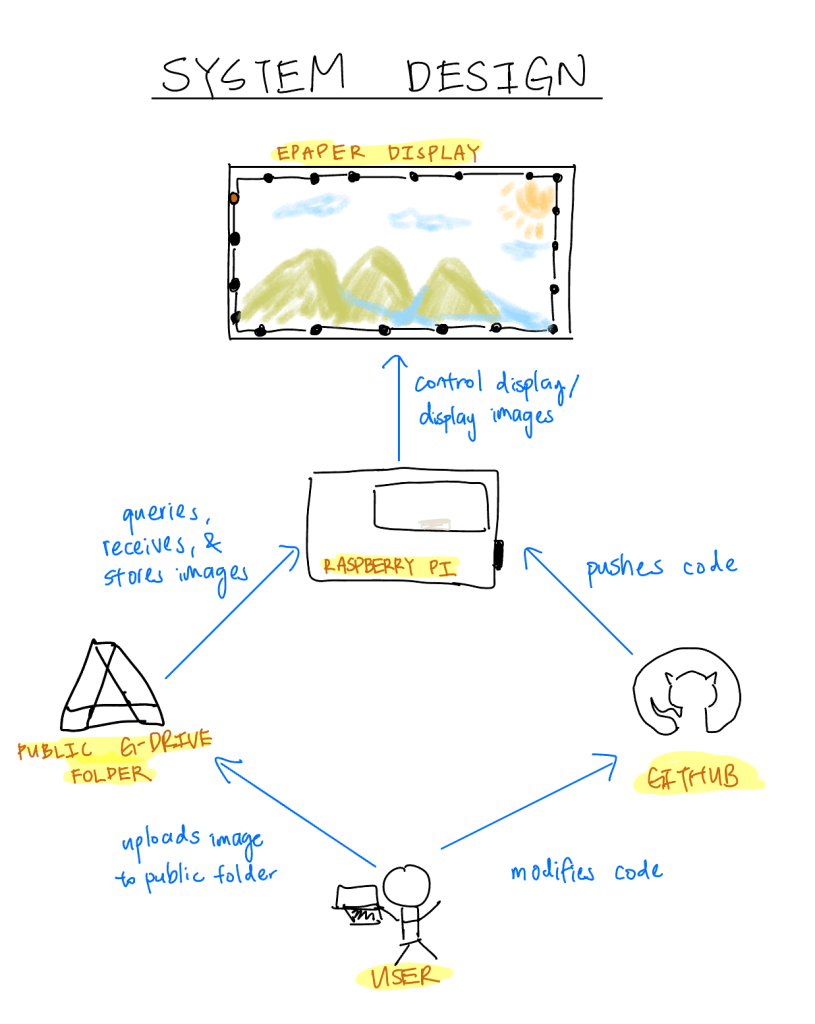
- The Raspberry Pi functions as the brain of the display. It runs code that queries Google Drive for images and displays them on the e-paper screen.
- The e-paper display simply shows the images it receives from the Raspberry Pi.
- A public Google Drive stores the images. When users upload new images to the drive, the display automatically updates its local storage during its next query.
- GitHub hosts the system’s code and enables remote updates to the Raspberry Pi. This approach avoids the complications of coding directly on the Pi, such as using a different code editor.
Steps
- Image the Raspberry OS onto the SD card using the Raspberry Pi Imager
- Raspberry Pi Device:
Raspberry Pi 3. Operating System:Legacy 32bit. - Enter your local network’s WiFi credentials to enable direct SSH access later.
- Set your username and password.
- This process takes about 10 minutes.
- SSH into the Raspberry Pi
- On your personal computer, open the terminal and enter
ssh rpi@raspberrypi.local. If your Pi is connected to the network, you’ll be prompted to authenticate. Enter your password.
- On your personal computer, open the terminal and enter
- Set up GitHub authentication for the Pi. Instructions are available here.
- Clone the GitHub repository https://github.com/cathayc/EPaper-Picture-Frame
- Create a public Google Drive folder and replace the folder ID in the config.py file. Add the images you want to display to this folder.
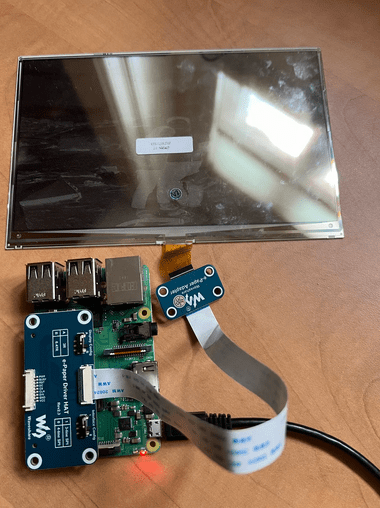
- Connect the Raspberry Pi to the display as shown below:
- Follow the installation steps in the repository. The package installation takes about 3 minutes, depending on your internet speed.
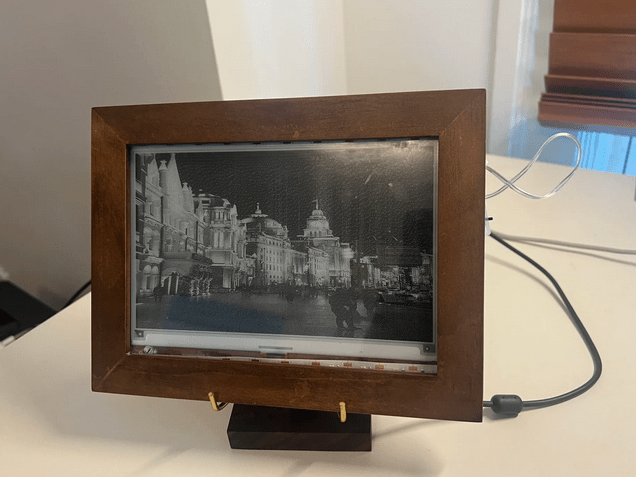
- Run python main.py. If the script runs successfully, you should see your Google Drive images appear on the display!
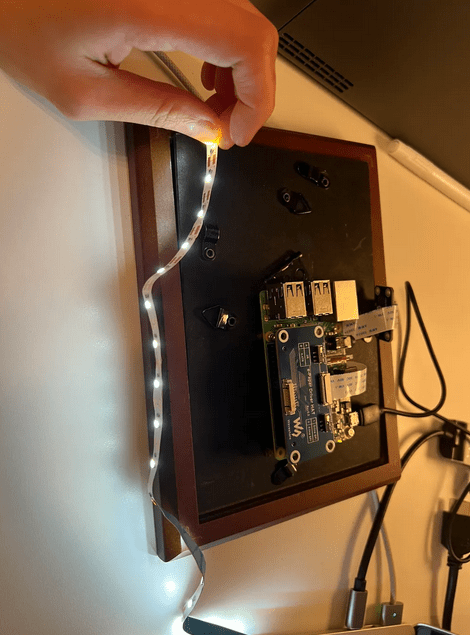
- The proof of concept works. Now, it’s time to place the display in its case and connect it with the LED. I drilled some holes to install the raspberry Pi on the back of the frame, and taped the LED lights around the front of the frame.
Unexpected Challenges
- Fragile display ribbon cable: The display’s ribbon cable broke while I was adjusting it. Because the cable was not replaceable separately, I had to purchase an entirely new display.
- Cross-platform package issues: Switching between Raspberry Pi OS and my laptop’s OS introduced compatibility problems. Several packages that worked locally failed on the Pi, and I spent multiple days debugging these dependency conflicts.
- E-paper degradation from over-refreshing: After two days of refreshing every 15 seconds, the screen developed persistent white streaks. This is likely due to incomplete pigment resets or physical wear of the e-paper microcapsules from excessive cycling.
Results!
Final Thoughts / Conclusions
This project evaluated e-paper displays across five dimensions: cost, form factor, flexibility, refresh rate, and image quality. Here are my thoughts based on the process of researching the displays and building an e-Paper.
Refresh Rate: a painful limitation
E-paper displays operate by physically shifting microcapsules using electric fields. This is a process that inherently limits speed. Typical full refresh times can take up to a second, ranging 300–1000 ms depending on the display. In contrast, mainstream monitors refresh every 16 ms (60 Hz) or faster, making e-paper roughly 20–60× slower.
E-paper is fundamentally unsuitable for video or dynamic interfaces. Its niche lies in static, infrequently updated content.
Use Case Fit: Paper
The most natural applications for e-paper are those where paper currently dominates:
- E-readers (e.g., Kindle)
- Electronic shelf labels
- Public transit signs
- Battery-powered IoT displays
These leverage e-paper’s strengths: low power, readability in sunlight without glare, and long image display without needing to refresh. However…
Cost & Justifying Returns: The Biggest Barrier
The upfront costs remain high:
- A single 2–3 inch electronic shelf label can cost $20–30.
- Outfitting a grocery store could cost tens of thousands in hardware alone.
- Additional costs include system integration, inventory tracking software, and annual maintenance.
For many retailers, the promised benefits—reduced labor, dynamic pricing, increased personalization—are difficult to quantify. Did a sale drive higher revenue, or was the item just in demand? Without clear attribution, ROI remains speculative.
Final Assessment
I believe future of e-paper lies in replacing physical paper. This vision is ubiquitous — it has been the ambition of researchers for many years to create a low-cost, flexible piece of electronic that is the digital analogue of paper.
But alas, as it currently stands, e-papers are too costly and fragile. This begs the question: in the age of capitalism, it is a surprise that a technology conceived in 1970s and first patented almost 3 decades ago has not seen more innovation. Clearly, there is a use case with the wide adoption of Kindle displays, yet the tech remains niche.
Initial research into this topic suggests that this is a heavily IP-fenced technology with high R&D costs, resulting in an effective monopoly. e-paper technology is dominated by a single player: e-ink Corporation, headquartered in Taiwan and originally spun out of MIT’s Media Lab. My suspicion is that they have monopolized this technology such that the upfront cost for R&D far outweighs any potential market this technology can be developed for.
And thus, it is decided. The IP-fencing of e-paper will be the next blog topic!
 Cathy C.